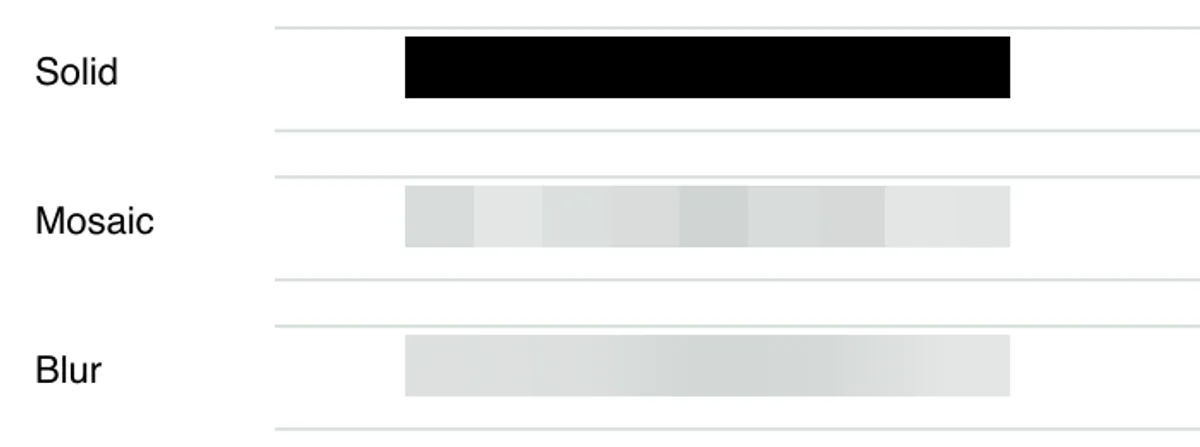
How does blur look next to a solid mask?
The same detail takes on a different appearance under solid ink, blur and mosaic.
How do I blur part of an image?
A local blur softens a selected area while leaving the surrounding picture sharp. Open a photo, draw a rectangle around the distraction and export a copy with the blur applied.
Choose the detail
Pick the label, screen or background object that competes with your subject. Separate objects can have separate blur regions.
Draw the blur
Drag across the detail and adjust the handles. Zoom in when a sharp foreground edge runs close to the object.
Download the image
Choose JPEG for a photo or PNG for crisp graphics. The area outside the blur keeps its original dimensions.
Try the sample screenshot to see the difference between softened detail and opaque coverage. Place a blur region over some of the fictional writing. The line lengths and light and dark patterns can remain apparent even when individual letters are hard to read. This is a reason to choose a different style when the information itself is confidential. Blur is a visual treatment, and sensitive text can sometimes be recovered.
How do I keep the foreground sharp?
Draw from one corner of the detail to the opposite corner. The rectangle defines which part of the image receives the treatment. To preserve an adjacent edge, zoom to 100% and adjust the nearest handle. Compare the boundary against a straight line in the picture, such as the edge of a screen or a shelf. A few pixels of overlap can make a crisp subject look accidentally out of focus.
Select the region to move it after drawing. If the placement looks wrong on a small screen, use the region list to change its position and dimensions numerically. This can be easier than trying to grab a handle sitting over a busy pattern. Use undo to compare with the previous arrangement and redo to restore it. Keep unrelated background objects in separate regions so you can change one without moving the rest.
The blur treatment scales with the selected region. Inspect the result whenever you change its size. A large patch can look smooth from across the room but reveal a distinctive outline at full resolution. Conversely, a tiny strip along the edge of a picture may draw more attention when blurred than it did originally. Zoom back to Fit after making close adjustments and judge the composition as a whole.
Which format should I use for a blurred picture?
For a photographic original, JPEG is a practical export choice. A screenshot with fine lines or type often benefits from PNG. Copy image puts a PNG on the clipboard when the browser permits it. Downloading gives you a file to open and inspect separately. Both routes flatten the effect into the output picture, so you can review the blurred region in an ordinary viewer without depending on the editor.
How does a local blur affect my file?
Can I blur part of an image and leave the foreground sharp?
Yes, when you can isolate the distracting area with rectangles. The tool applies the effect inside the regions you draw. It has no automatic foreground cutout. Check any area where a rectangular region meets a curved subject before exporting.
Does zoom affect the size of the downloaded picture?
Zoom controls how you inspect and position a region in the workspace. The exported picture retains its original resolution. Switch between Fit for the overall composition and 100% for a pixel-level look at a boundary.
Can I edit the blur after downloading?
Keep the current editor session open to resize or restyle the region. Opening the downloaded image starts with the blur already incorporated into its pixels. Save the original separately if you expect to make another version with a different treatment.
Can I blur a picture without uploading it?
Yes. Load the blur editor first, then disconnect before choosing your picture. Drawing, adjusting regions and saving a copy all run in the open browser tab.
Will the download keep its original file size?
The dimensions stay the same. The number of bytes can change because the edited pixels are encoded again. PNG, JPEG and WebP apply different compression, even at the same resolution.